
Enhance Your Product Portfolio Management with the Craft.io Progress Dashboard
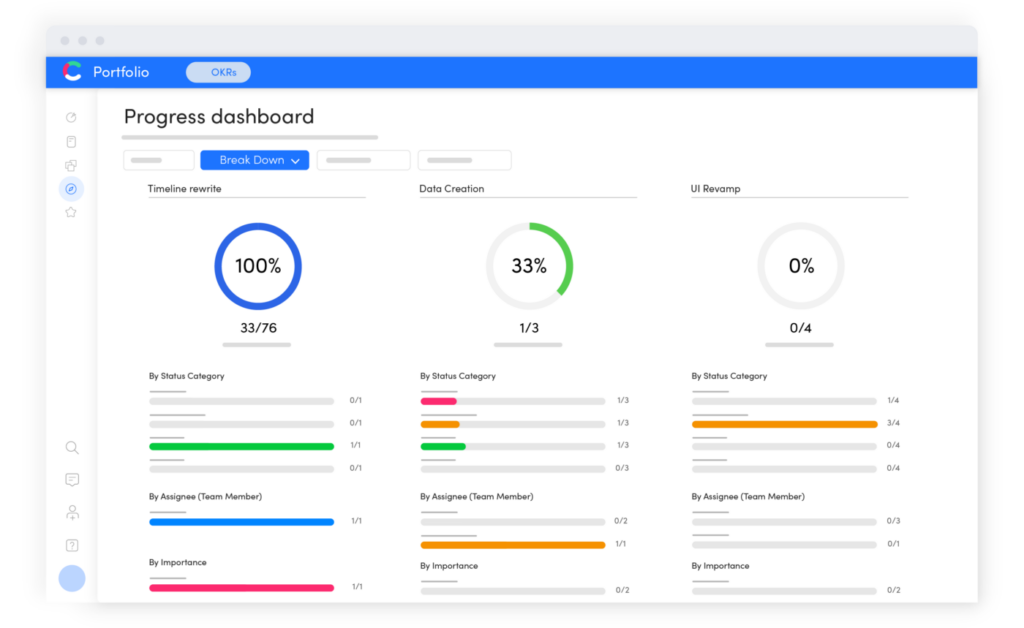
Managing a complex product portfolio requires clear visibility into how your product strategy is translating into reality. The Craft.io Progress Dashboard provides this clarity by centralizing your data into one view, eliminating the need to chase down manual updates. In this article, we will go through how to visualize status across different teams, use specific filters to track your quarterly objectives, and spot potential bottlenecks early so you can adjust your plans with confidence.
Get the Full Picture of Your Product Organization’s Progress, From High-Level to Granular
In our post announcing the Craft.io progress dashboard, we pointed out that this new tool makes it easy for product managers to visually analyze their progress on virtually any product-related metrics and categories: quarters, sprints, products, teams, objectives, etc. Users can also filter this data in any way they choose for even deeper insights – for example, to review how consistently a specific team has completed its tasks on time over several quarters.
We also noted that this visibility can help product managers in several ways. It enables them to monitor the status of their strategic initiatives, identify problems early, and make better-informed decisions about when to adjust stakeholder expectations and reallocate resources.
And while this enhanced visibility at the individual team or workspace level is ideal for product managers, we believe it’s even more important for product executives to be able to visually monitor progress throughout their entire organization – across teams, products, product lines, and even business units.
That’s why we’ve also created a version of our progress dashboard for the Craft.io product portfolio management solution.
As you know, effective product portfolio management requires deep visibility into what’s happening across your organization. And with our new progress dashboard layered atop your Craft.io portfolio management environment, you’ll be better positioned than ever to gain valuable business intelligence that will help you keep your organization hitting its strategic goals.
5 Ways Our Progress Dashboard Can Improve Your Product Portfolio Management
Managing a portfolio is complex, but seeing your progress shouldn’t be. Here are a few ways you can use the new dashboard to keep your strategy on track.
1. Stop risks before they become problems.
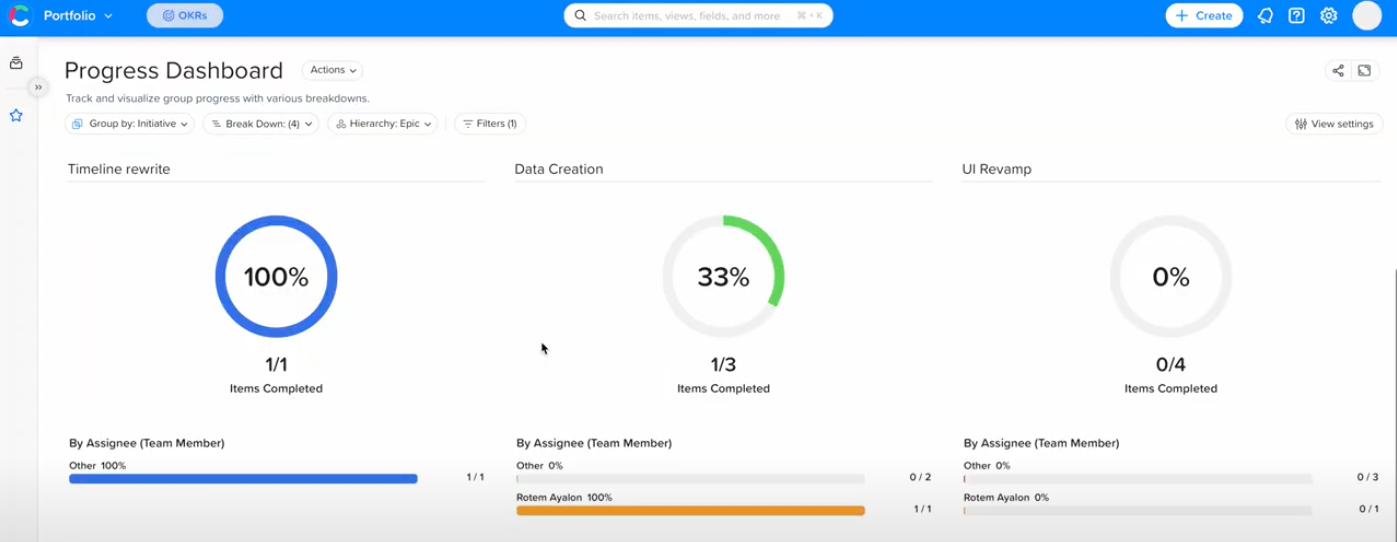
With the progress dashboard’s flexible views and data filtering options, you can quickly and easily spot areas of your product organization that are falling behind in their assigned work.
For example, if you filter your portfolio view by the teams or individuals assigned to specific work, you can get an at-a-glance view of how your resources are progressing toward their strategic goals. If you find that a team is not progressing at the pace set for it, you can drill down into the details – to identify the specific areas responsible for the slowdown.Then you can meet with the relevant stakeholders to discuss the challenges and make decisions about how you can help them adjust course.
2. Gain real-time status updates for your executive-team meetings.
With our progress dashboard tool woven into your portfolio management environment, you’ll also be able to quickly and easily find out how close your company is to releasing new products, updating existing products, and completing other strategic initiatives.
This information will make you much better equipped in your stakeholder meetings to answer questions and provide reliable updates on what they can expect from your product department in the coming weeks and months.
3. Monitor what your individual product teams are prioritizing.
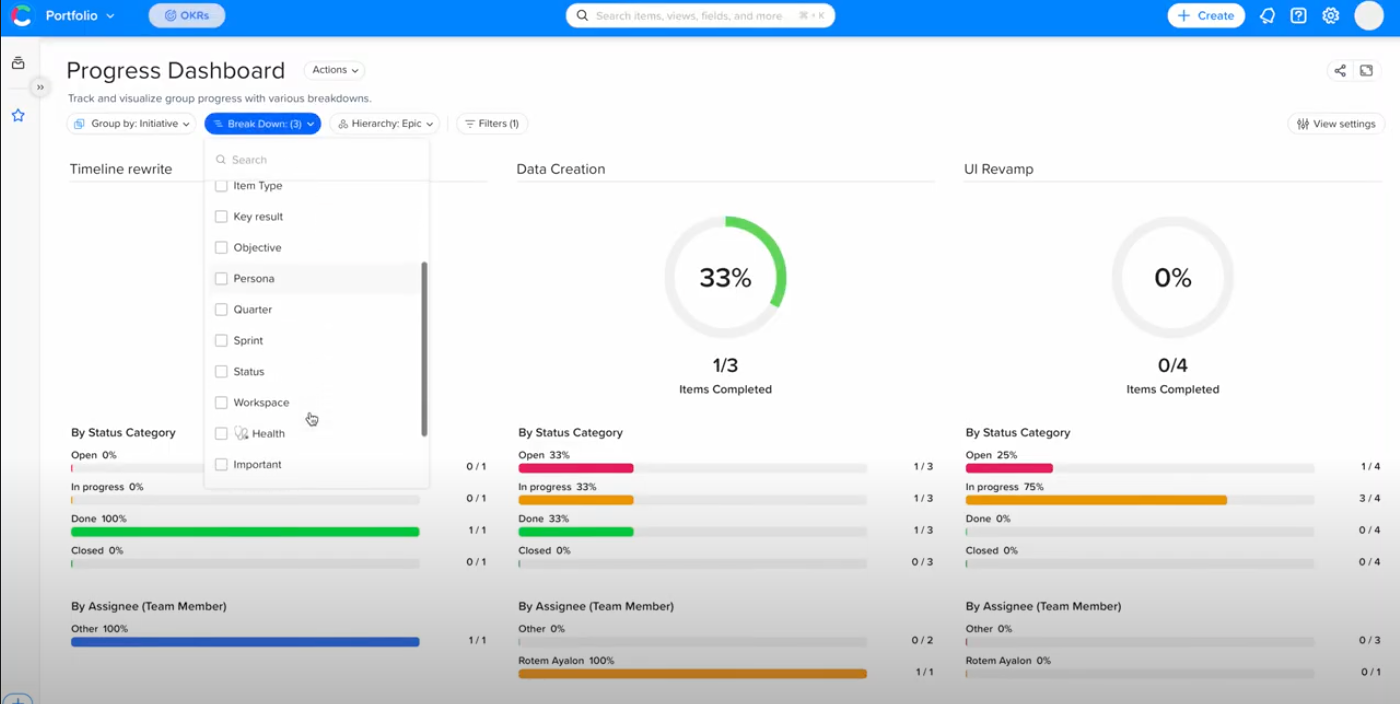
It is critical to know if your teams are working on the things that matter most. That is why the dashboard lets you analyze progress based on the importance level.
As you can see in the screenshot below, you can monitor how your teams are prioritizing their projects by drilling down into items marked “High,” “Medium,” and “Low.” This is a great way to check if your product managers are aligned with your business’s larger strategic objectives. It ensures they are focusing on the goals you have set for them.
4. Ensure that high-value work is getting finished first.
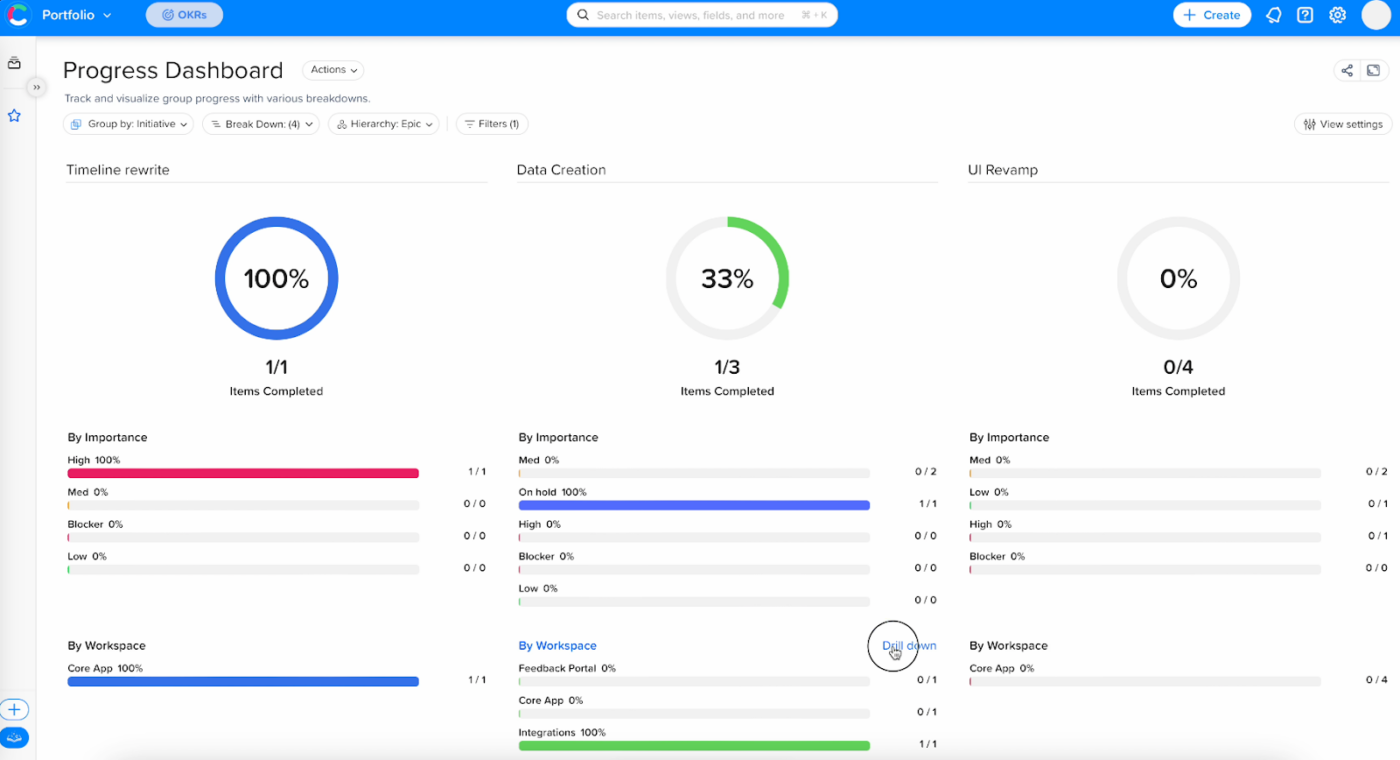
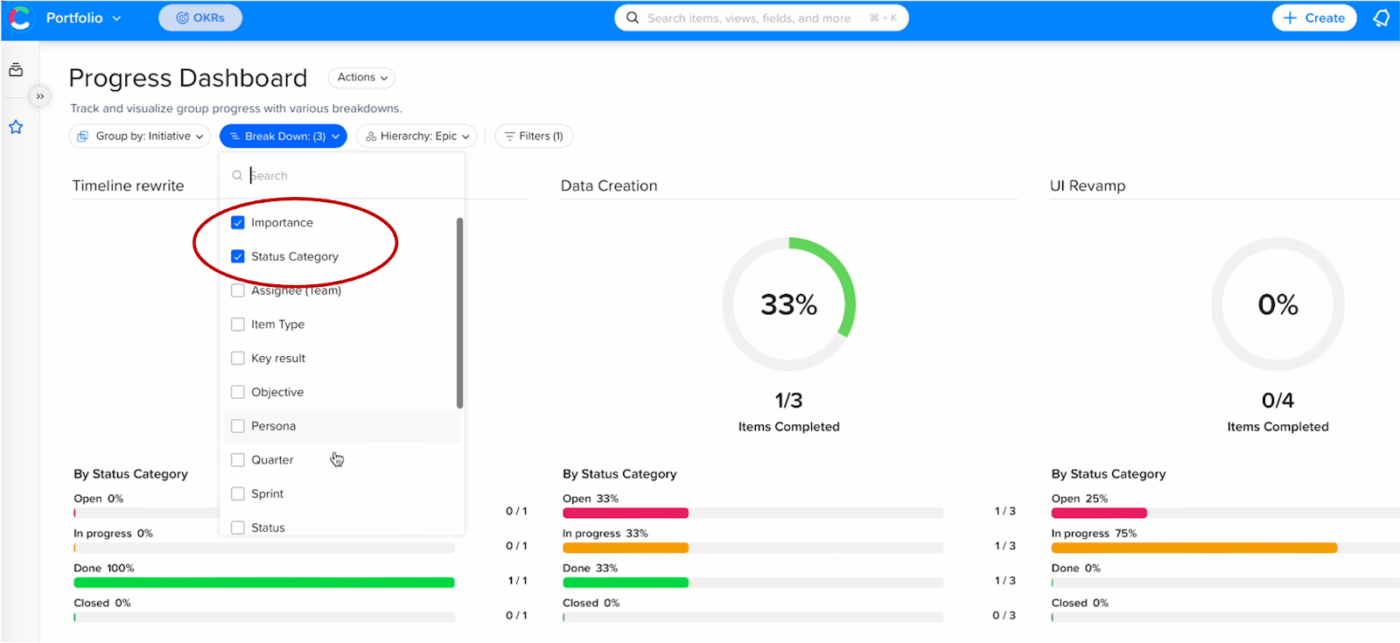
It is one thing to plan for high-priority work, but it is another thing to actually deliver it. By combining the Importance and Status Category filters, you can ensure your teams are tackling the hardest, most valuable work first.
If you filter your progress view using these datasets, you’ll quickly see whether or not your teams are working on the most important items before moving on to those they’ve deemed less important. And if you find a pattern of high-importance items still in the “open” stage, while many of the low-importance items are either in progress or already completed, that can indicate the product team has strayed from the strategic path and is prioritizing tasks for reasons other than their strategic value to your organization. With that insight, you can start a discussion with that team.
5. Gain insights into your organization’s progress trends over time.
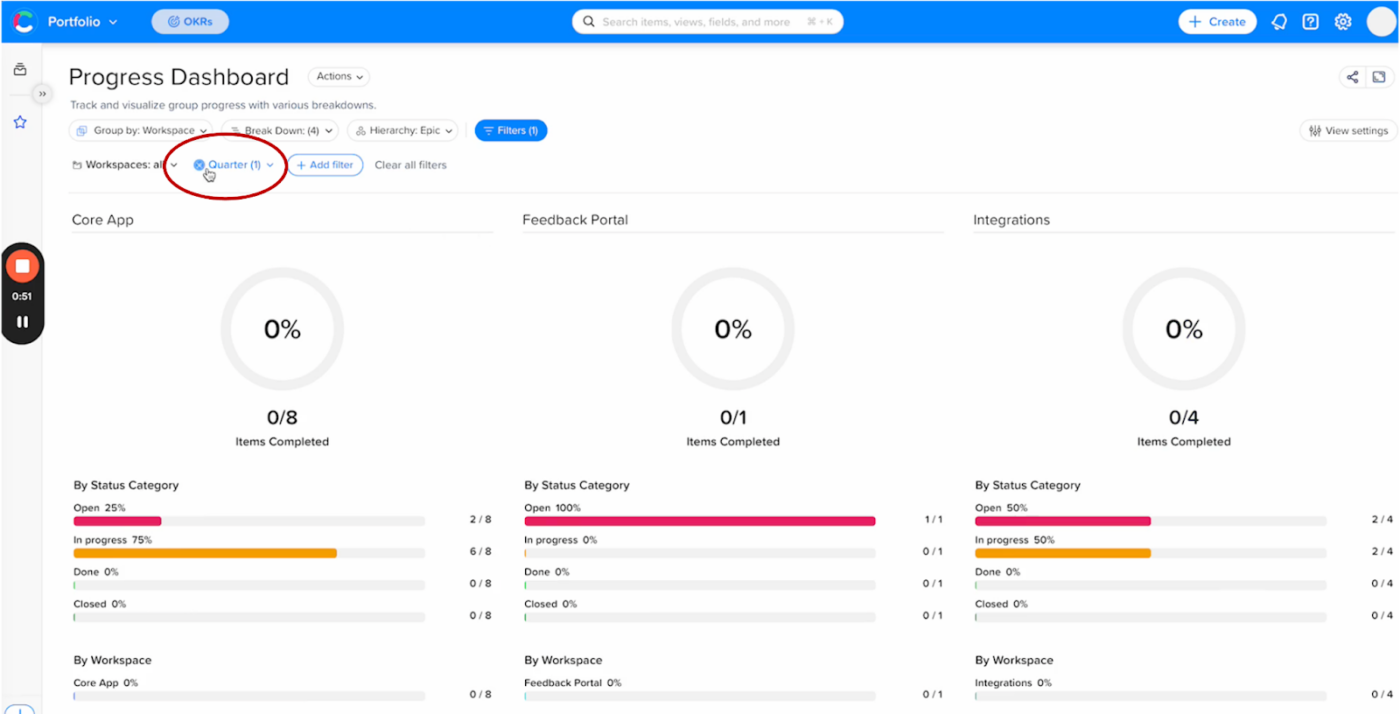
Finally, you can review the progress of entire workspaces or even multiple workspaces across time.
You can use this view to analyze your entire product departments’ ability to complete its work from quarter to quarter or year over year.
This view can alert you, for example, that your organization might be short-staffed. Perhaps product owners, UX designers, or other resources have left your company over the past year, and their absence is undermining your teams’ efforts to complete initiatives.
Start Improving Your Portfolio Progress Now with Craft.io
The Craft.io progress dashboard is now live. We designed these specific features to help product leaders like you gain control over your entire portfolio.
If you haven’t already implemented our portfolio management solution, book a demo with a Craft.io product executive. We’ll get you up and running with enhanced portfolio management – including the progress dashboard – right away.

FAQ
What is a Progress Portfolio?
A progress portfolio tracks ongoing work and goal achievement. In Craft.io, the progress dashboard acts as this portfolio, allowing you to monitor and guide your team through the entire product development lifecycle.
How does a portfolio dashboards solution improve executive decision-making?
A portfolio dashboards solution centralizes cross-team data into a single view. This eliminates silos, giving executives the real-time accuracy needed to make faster budget and strategy decisions.
What is the function of a progress portfolio in development?
A progress portfolio monitors ongoing work against goals. It tracks actual development trajectory and learning, ensuring the team is moving toward strategic outcomes rather than just checking off tasks.
